It has been several months since I have been able to work with the sketches on Shannon's Blog. Life has just been way to busy and complicated this year. Never realized that a child's senior year would be so busy. So excited to be able to work with the sketches again as I really like her designs. They are easy enough to follow and yet leave room for creativity.
I choose to use a few pictures of Sarah dancing at WestWing Nursing home this summer. She has been a member of the Tap team Design for the past 3 years. This team spends the summer traveling on Thursdays and Saturdays to different nursing homes in the area. Of course the favorite place to dance at is WestWing in DeWitt because Grandpa is a resident there. This year their leader sent the rest of the members back to change but kept out 2 to interview. Sarah was one of the ones that he interviewed. The first question he asked her was where her favorite place to dance at is, of course she answered WestWing and then when he asked her why she told all of the residents that it was because her Grandpa was a resident there. Everyone enjoyed that story. The bottom picture of the layout shows both girls with Grandpa. I think he really enjoyed the attention also.
While the sketch was easy enough to follow I had a hard time with the papers and colors. I don't normally use pink to scrap with.
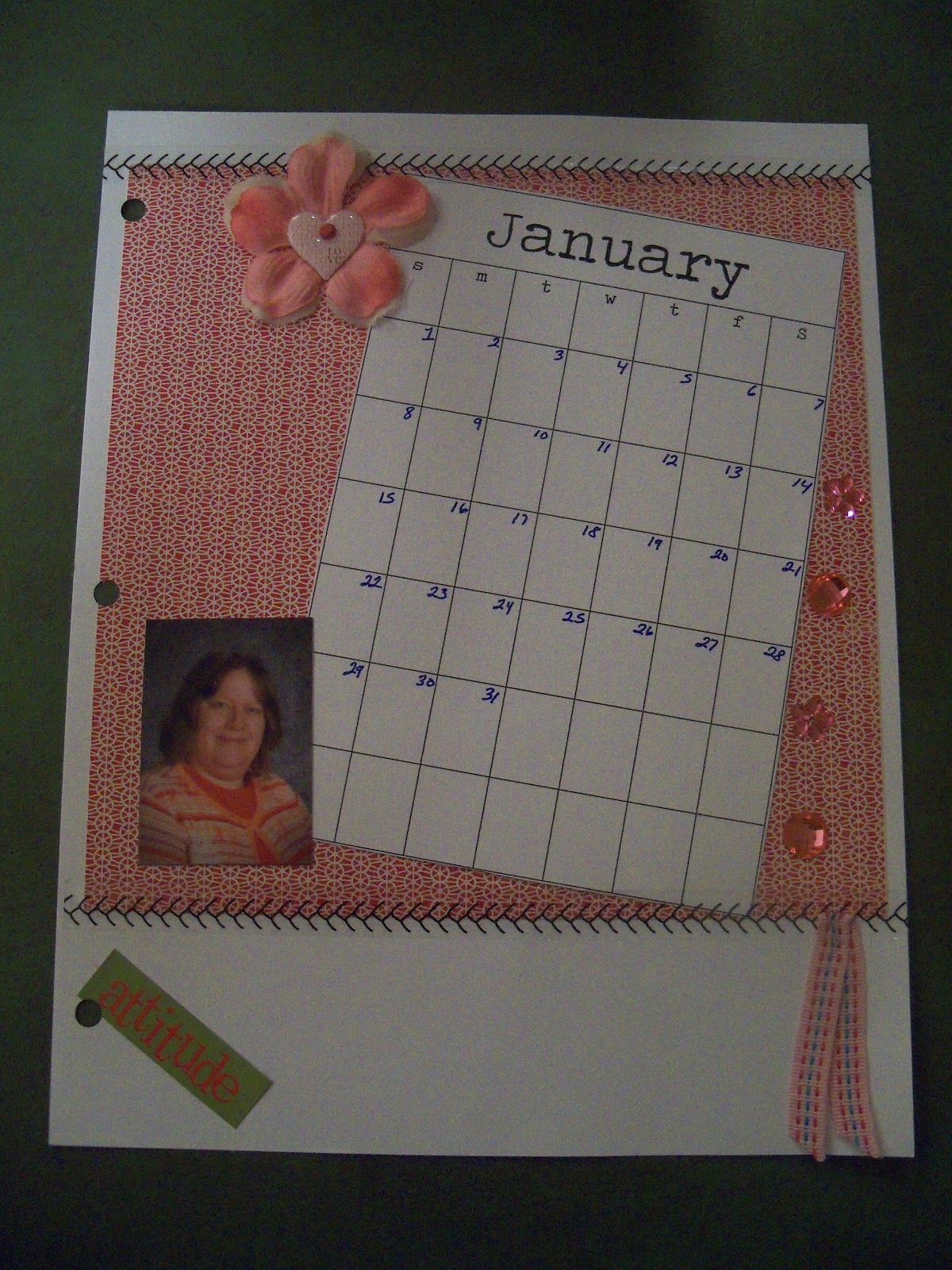
A couple of weeks ago I saw an interesting article on a blog that I frequent. This post was about a new class for 2012. It would be a 12 month class, with different assignments for each week. It was to also include some doodling that I could color and a calendar for each month, plus instead of a word for the year, there is one word for the month. I jumped on this class so quick. I was really surprised because I have only done one other online class and that was a few years ago. This one just seemed different and drew me in. I already have most of the prep work done. I still have to complete my title pages for each month, but I might do that as each month comes up. I also still have most of the cover to do, I have picked a background paper that I like and will work on building the cover as the year goes on. Yesterday I was able to get the January Doodle page done and also the January Calendar page.
This year I decided to try the December Daily album that many are talking about. I was hoping that with the digital scrapbooking program I would be able to keep it up better. While I didn't finish the album (I have a way too boring life) I did manage to get many pages done.
If you don't already have a copy of the easiest digital software in the world then take advantage of this promotion. Click on the icon in the right side bar. This will take you to the My Memories Suite Software. If you enter this code(STMMMS61276) you will not only get 10.00 off of your purchase but a second code/coupon good for 10.00 off of your order from their store with all of the designers sets. Cool deal right!!
I am hoping to start a new weekly post for you. I will be calling Twisted Tuesdays simply because my oldest daughter suggested this title and I can't think of anything I like better. Feel free to send me suggestions if you can think of something.
I have to say that the more I play with the MY Memories Suite software the more I am in love. I think that I am going to try and complete Ali's December Daily and the Journal Your Christmas project this year digitally. This will be the first time that I will create a digital book. I am thinking that this will actually help me stay on track and finish the book on time. I will not have to worry about waiting until pictures are developed. In the meantime I want to become more familiar with the software and the new version. To do this, I am going to be posting a bit more on this site.
Today's post is a quick page that I created for Sarah's senior year of cheer.
Now here is the really cool part of this email a freebie. This package will work with not only My Memories Suite software but also other programs that you may be using. Feel free to click on this link and grab this weeks freebie:
Here is what I created with the package quickly tonight.
If you don't already have a copy of the easiest digital software in the world then take advantage of this promotion. Click on the icon in the right side bar. This will take you to the My Memories Suite Software. If you enter this code(STMMMS61276) you will not only get 10.00 off of your purchase but a second code/coupon good for 10.00 off of your order from their store with all of the designers sets. Cool deal right!!
In honor of my daughter's 18th birthday Random.org picked
Congrats to Sarah Ackerman, who said
"Lots of great designs! I like the vintage grunge papers 1 & 2, heritage,
round vintage cards, etc, etc : )"
you are the lucky winner of the My Memories Suite Software. I will be sending you an email later with the details and the code you need to download the software. It won't be until tomorrow or later as I won't be home today until very late.
I have been wanting to learn how to digi scrap for awhile now. Several years ago I took a mini introduction class and then came home and was able to create the announcement for Sarah's confirmation. While I have no idea what I did and can't repeat it now, I do remember how hard it was and frustrating. Had to remember layers and what needed to go where, plus getting everything sized just right was a pain.
Fast forward four years and it is time to create graduation announcements. I knew that there was NO WAY I would ever be able to figure out how to use the software that was on my computer again. No Sarah was going to have to settle for the plain announcements like everyone else had. When all of the sudden My Memories Suite comes riding in to rescue me. All of the sudden I am asked to test out this digital software program. I am in love. Look what I was able to create during my first hour of playing with My Memories Suite.
I was able to create these 5 layouts with virtually no learning curve required. I just opened the software for the first time, picked out the templates that I wanted to use and then chose the pictures. The program even pops up with a tool that helped me to size and crop the picture perfectly.
The next night I had a little bit more free time and spent some time looking through My Memories Suite website for different kits that I could download. They have several different kits in many different themes to choose from including an entire section of free. In the free section I found some graduation kits, which of course caught my eye as the parent of a senior. I went ahead and downloaded two of the kits. Instead of using the pre-made pages (they were the wrong color) I was able to use the elements to create my own page. Now all I need to do is add pictures once the ceremony is complete in May.
I must admit that the more I play with My Memories Suite, the more I want to do. I am enjoying creating many different layouts including this one from a favorite family get together this past summer. We went to my cousin's farm (which is the farm that the family started on over 100 years ago.) My grandfather and dad were born and raised on this farm and I spent many happy days with my cousin's on the farm. I am so thrilled to be able to share it with my own daughters.
Check out this brief video for an overview of some of the things that you can do with this digital scrapbooking software. There are many other great things that you can do with this software, but I am showing you what I was able to do after only playing with the software for a short time over two days.
And now for the totally cool part. My Memories Suite is giving me a free download for one lucky winner. All you have to do is be a follower of my blog, vist the My Memories Suite website and then leave me a comment with your favorite line of papers and embellishments that can be downloaded. For extra entries do the following:
3. Twitter about this giveaway and follow My Memories Suite on twitter.
4. Share about this giveaway on your blog or other forms of media (facebook, fiskateers, etc.)
Leave me a separate comment for each thing that you do. In honor of my oldest child turning 18, I will close this giveaway at 12:00 noon central standard time and then pick a winner and post the winner here around 9:00 pm central standard time.
Good Luck
If you are as excited as I am about this software and can't wait to see if you won, or if you don't win, the people at My Memories Suite are so awesome that they are allowing me to share this code with you for 10.00 off of your software purchase and another 10.00 coupon for the store so that you can purchase even more great downloads besides all of the free ones that are available. That isa total of 20.00 off of your purchase. How can you refuse such an awesome deal. Hurry over today and use this code. STMMMS61276
I want to thank My Memories Suite for donating the software so that I could try the software and for donating the software for the giveaway. While MY Memories donated the software the opinions are my own after spending a couple of hours over two days playing with the software.
I am the mother of two DD's 16 and 10. My husband is the athletic trainer for our local schools so he is very busy. I teach alternative kids in a neighboring district and most of the time I love it.




.jpg)

